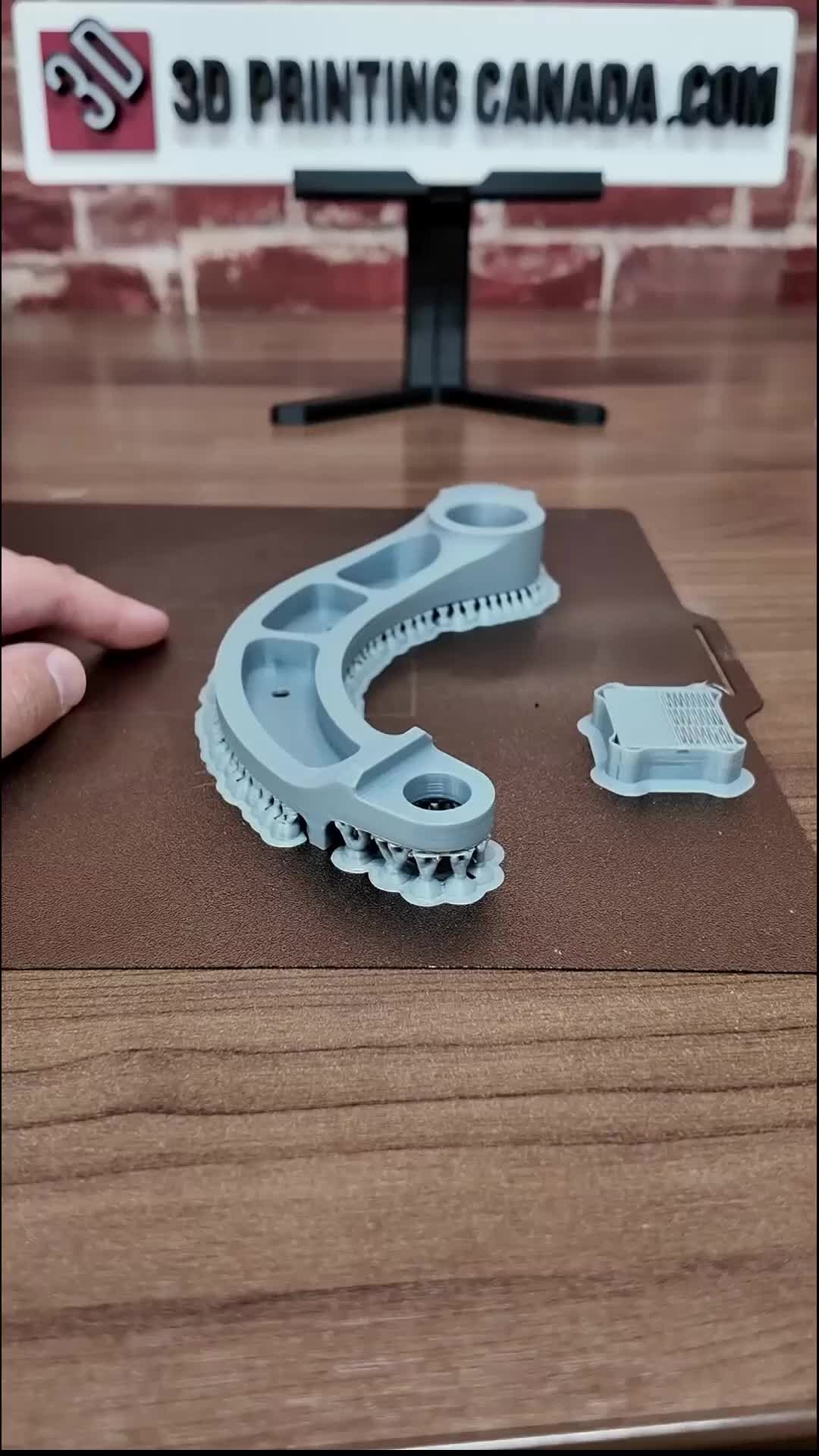
Easy To Remove Supports - PETG with PLA #3dprinting
Search inside any video
SavedThat transcribes your saved videos and lets you search across all of them instantly. Save this video and find any moment.
TL;DR
Learn how to effectively use PETG as a support material for PLA in 3D printing, ensuring easy removal and a clean finish.
Chapters
- 0:00Introduction to PETG Supports01
- 0:10Benefits of Using PETG02
- 0:25Setting Up in Bamboo Studio03
- 0:45Choosing the Right Filament04
- 1:00Switching Between Filaments05
- 1:10Conclusion and Tips06
Transcript
Here's why you should use PETG as support for PLA because look how easy the supports come off. It just practically falls off. That is amazing. It doesn't leave any bad surfaces on the bottom and it just comes off so nicely. Let me show you how to set it up in your slicer. This is Bamboo Studio but it's similar in most slicers.
You do need some multi-material system like AMS or CFS. And all you have to do is enable supports, go down to filaments for supports, Then next to support slash raft interface, select PETG. It's hard to see, but I used the transparent PETG as the interface,
and that's just that top layer, the layer between the top of the supports and the part. The rest is PLA. So with the bamboo AMS, you're just changing the color or changing the material at that layer. So it works for this print because it's mostly just one flat layer.
There's two heights, so it only switches twice. on more maybe like a rounded print, say I was supporting something like the bottom of this, you'd have so many spots where that interface has to change. That's when you might want something
like the Bamboo Lab H2D with the two nozzles that can switch very quickly between the filaments. Otherwise, you're doing a lot of changes.
Are you the creator or rights holder of this video? Request removal of this transcript.
Related Transcripts
 2:56Instagram
🧐Organizando el taller con IMPRESIÓN 3D - PT.
Jair Dominguez Garza
 0:54Instagram
Need a jig?
Phil.Makes.Stuff
 0:38Instagram
Day 2 of 20 Office 3D Prints #3dprinting If you would like any information on…
Josh
 0:39Instagram
Day 1 of 20 3D Printing DIY Hacks #3dprinting if you want more info on products…
Josh
 0:45Instagram
It's here.
3D Farmers
 2:32Instagram
#️⃣Organizando el taller con IMPRESIÓN 3D - Día 8 En el episódio de hoy: cómo…
Jair Dominguez Garza
Never lose a moment again
Save videos from YouTube, Instagram, and TikTok. Search everything that was said, and jump to the second.
Start Saving Videos - Free Trial