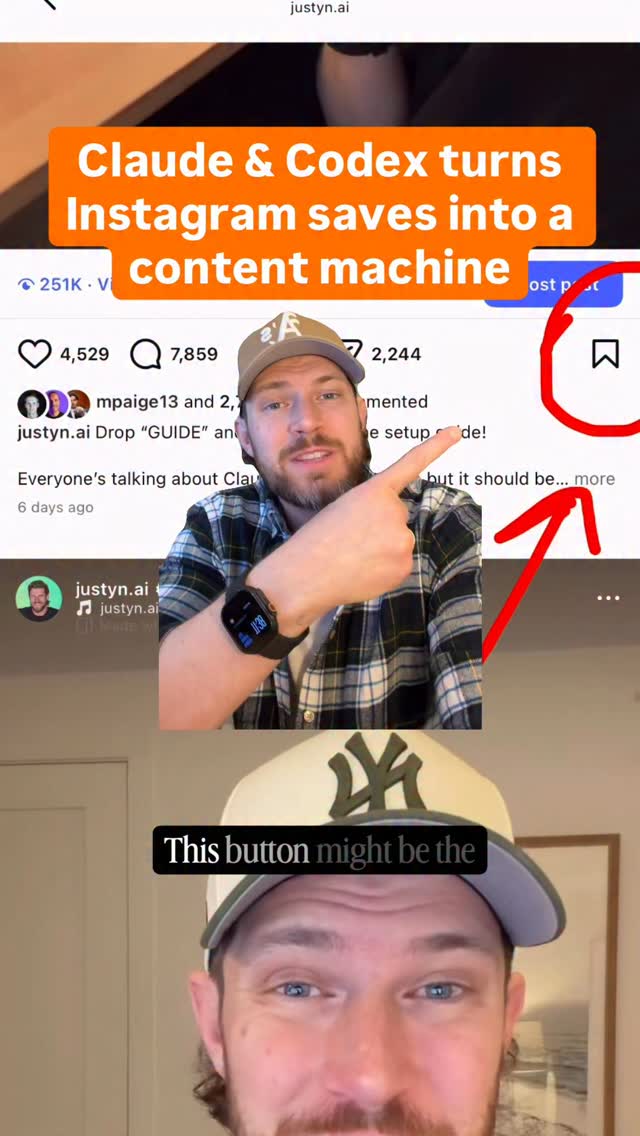
Drop “GUIDE” and I’ll send you the step by step guide on how to build this…
Search inside any video
SavedThat transcribes your saved videos and lets you search across all of them instantly. Save this video and find any moment.
TL;DR
Learn how to automatically log Instagram posts into Notion using a simple setup, ensuring you never lose saved content again.
Chapters
- 0:00Introduction to Instagram Feature01
- 0:10Setting Up with Notion02
- 0:20Using Cloud Code or Codex03
- 0:30Step-by-Step Guide Instructions04
- 0:40Automating the Logging Process05
- 0:50Expanding Your Content Ideas06
Transcript
This button might be the most pointless Instagram feature, unless you use it the way that I do. Because instead of all those posts going to the graveyard never to be looked at again, I set it up so everything automatically gets logged inside of Notion. Which means you can do something with all these saved posts instead of losing them forever. Save this, because I'm going to show you how. Open up Cloud Code or Codex, whichever one you're using. You can build it in either one. Open this guide and you're going to grab the prompt, paste it in and hit enter.
Then just follow the instructions, which is a series of prompts that you're going to paste back in. And if you want that full step-by-step guide, give me a follow and comment the word guide down below and I'll send it over. And once it's all set up, every post that you save on Instagram will now automatically get logged inside of Notion. I have mine run twice a day at 9 p.m. and 9 a.m.
And I have it set to only pull from these two folders. And yes, it works on reels, carousels, and static posts. And you can build this system out even more if you want to turn those ideas into your own content ideas or turn those ideas into blog posts or articles. Whatever you want, this is just the start.
Are you the creator or rights holder of this video? Request removal of this transcript.
Related Transcripts
 1:08Instagram
Comment “Founder” and I’ll send you access
Brody Glanville
 0:55Instagram
Drop “EDIT” below and I’ll send you my full walk through video on how I edit my videos with AI.
Justyn Berkovits | AI for Solo Founders & Entrepreneurs
 0:48Instagram
Turn your Saved Reels & Guides into Claude skills📈✅ Comment “Saved” for the…
Max Johnson
 1:14Instagram
you save this guide 🙂↕️ inspired by @gillamfitness
Jun Yuh | Personal Branding & Content Strategy
 1:14Instagram
Let your AI doomscroll.
Stiles AI
 1:23Instagram
Step by step - save this for later
Gabby Garcia
Never lose a moment again
Save videos from YouTube, Instagram, and TikTok. Search everything that was said, and jump to the second.
Start Saving Videos - Free Trial