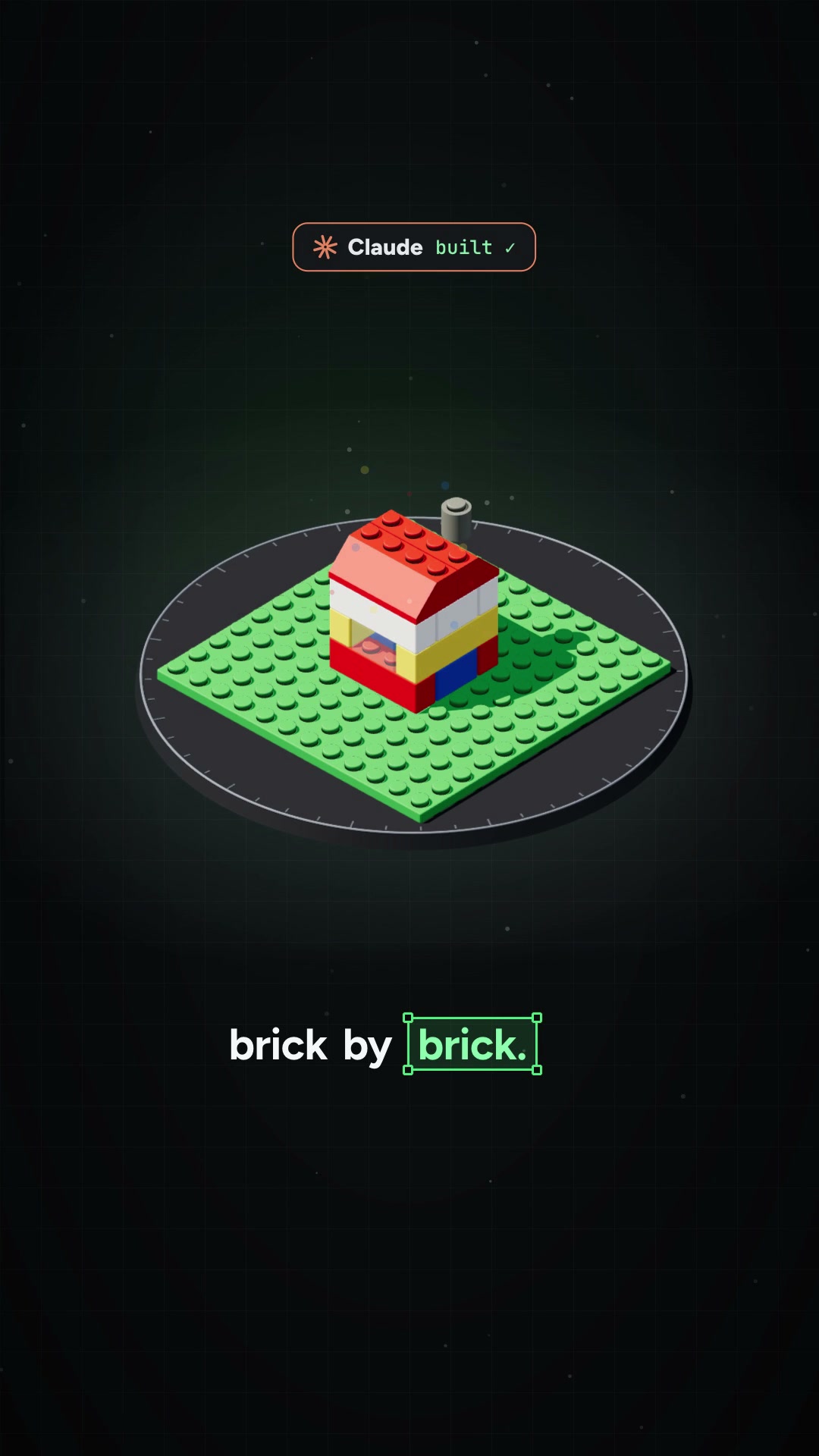
Comment BRICK and I'll send you the setup steps 👇 You just describe a coffee…
Search inside any video
SavedThat transcribes your saved videos and lets you search across all of them instantly. Save this video and find any moment.
TL;DR
Learn how Claude uses Eldraw Nova to design a Lego model from scratch, including planning, coding, and rendering a 3D model.
Chapters
- 0:00Introduction to Lego Design01
- 0:05Using Eldraw Nova Tool02
- 0:10Describing Your Model03
- 0:15Planning the Build04
- 0:20Rendering the 3D Model05
- 0:25Setup Steps and Follow Up06
Transcript
Claude can now design a Lego model, brick by brick. It's a free open source tool called Eldraw Nova. Describe what you want, like a coffee shop. Claude plans the build and picks real Lego parts. Then it writes code that places every brick, renders the model, checks how it looks, and fixes it again and again. You get a 3D model you can spin around and a list of every part it used.
It runs on your computer with your own AI key. Comment brick and I'll send you the setup steps. And follow for more AI tips.
Are you the creator or rights holder of this video? Request removal of this transcript.
Related Transcripts
 0:28Instagram
👇🏼Comment “BLOCKS” and I’ll send you the link to the full library.
Adrien Ninet
 2:53Instagram
So you want to organize your LEGO?
Rusty Dusty
 0:57Instagram
Comment JEV and I'll send you the setup guide.
Ben Broch | AI Saas builder
 0:33Instagram
Comment “LINES” and I’ll send you the link + the skill 👇 I asked for a 3D…
speedy_devv
 0:40Instagram
Let me show you the secret amazing website I use to discover amazing design…
Ramshad | Visual Designer
 1:05Instagram
Comment “pulse” and I’ll send you a guide on how to build your it yourself for…
Hari | AI, Tech & STEM
Never lose a moment again
Save videos from YouTube, Instagram, and TikTok. Search everything that was said, and jump to the second.
Start Saving Videos - Free Trial