Be honest… did you know about this?
Search inside any video
SavedThat transcribes your saved videos and lets you search across all of them instantly. Save this video and find any moment.
TL;DR
Learn how to simplify entering your email, phone number, and address on Apple devices using Text Replacements for quicker logins and purchases.
Chapters
- 0:00Introduction to Text Replacements01
- 0:10Setting Up Email Replacement02
- 0:20Adding Phone Number Replacement03
- 0:30Including Address Replacement04
- 0:40Conclusion and Comments05
Transcript
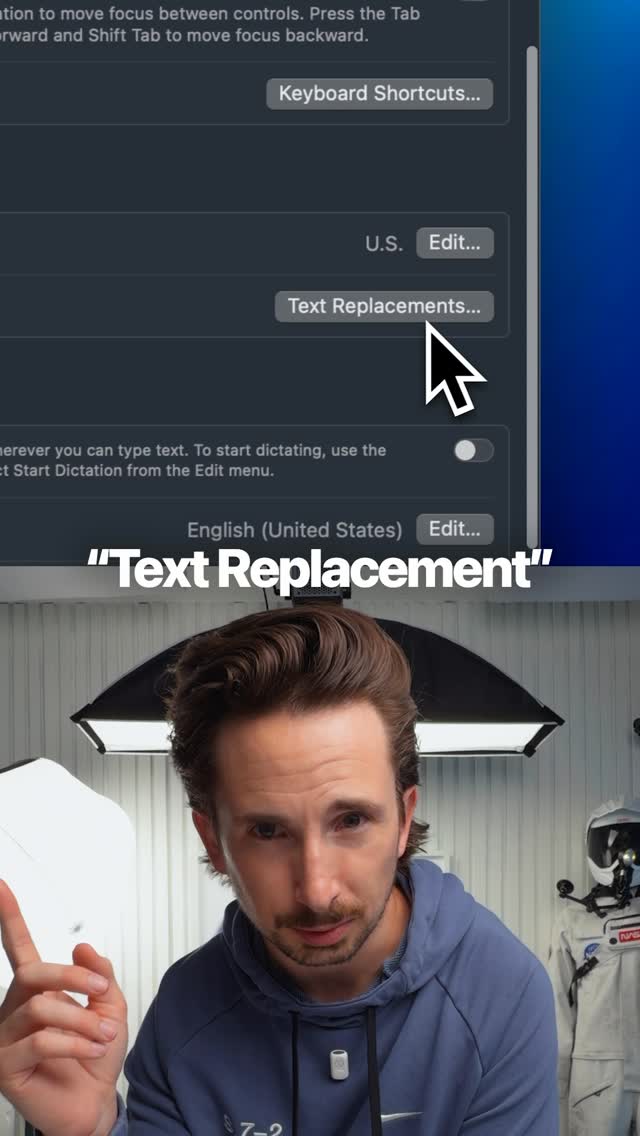
If you're an Apple user, I'm about to blow your mind again. So there's three really annoying things that we all have to type out every single day. When you log in or sign up for something, you have to type out your email. And when you buy something, you have to type out your address and your phone number, which is fine., it's not that hard, but what if you never had to do it again? So on your Mac or your iPhone, go to Settings, Keyboard, Text Replacements.
Hit the plus button. And then where it says Replace, tap the at symbol twice. Then below that, type the email that you use most. Then hit the plus button again. type hashtag or pound sign, depends on how old you are, and then below that, type your phone number. Then one last time, hit the plus button, type two squigglies, and then below that, type your full address.
So now every time somebody asks you for your address or your email or your phone number, you just type those two symbols, and it'll automatically fill it out. What's crazy is that it works on all your Apple devices, not just the one you set it up on. Alright, be honest. Did about this? Let me know in the comments.
Are you the creator or rights holder of this video? Request removal of this transcript.
Related Transcripts
 1:05Instagram
I am going to blow your iPhone typing MIND here 🤯 not one, not two, but FIVE…
Sean On Tech
 2:47Instagram
Don’t use a desktop/computer?
Chinye | AI Strategist | Founder | Author
 0:37Instagram
Comment "APPLE" and I'll send you the skill.
Jack Roberts
 1:11Instagram
If you want the full on guide on how to do this comment “mailman” and I’ll send…
Angus The (Nontechnical) Tech Bro
 0:59Instagram
There is a hidden trick deciding whether your email lands in the inbox or gets…
Jay Feldman | Lead Gen Jay
 1:03Instagram
Per usual if you want these prompts comment “upgrade” and I’ll send em your way…
Angus the Nontechnical
Never lose a moment again
Save videos from YouTube, Instagram, and TikTok. Search everything that was said, and jump to the second.
Start Saving Videos - Free Trial