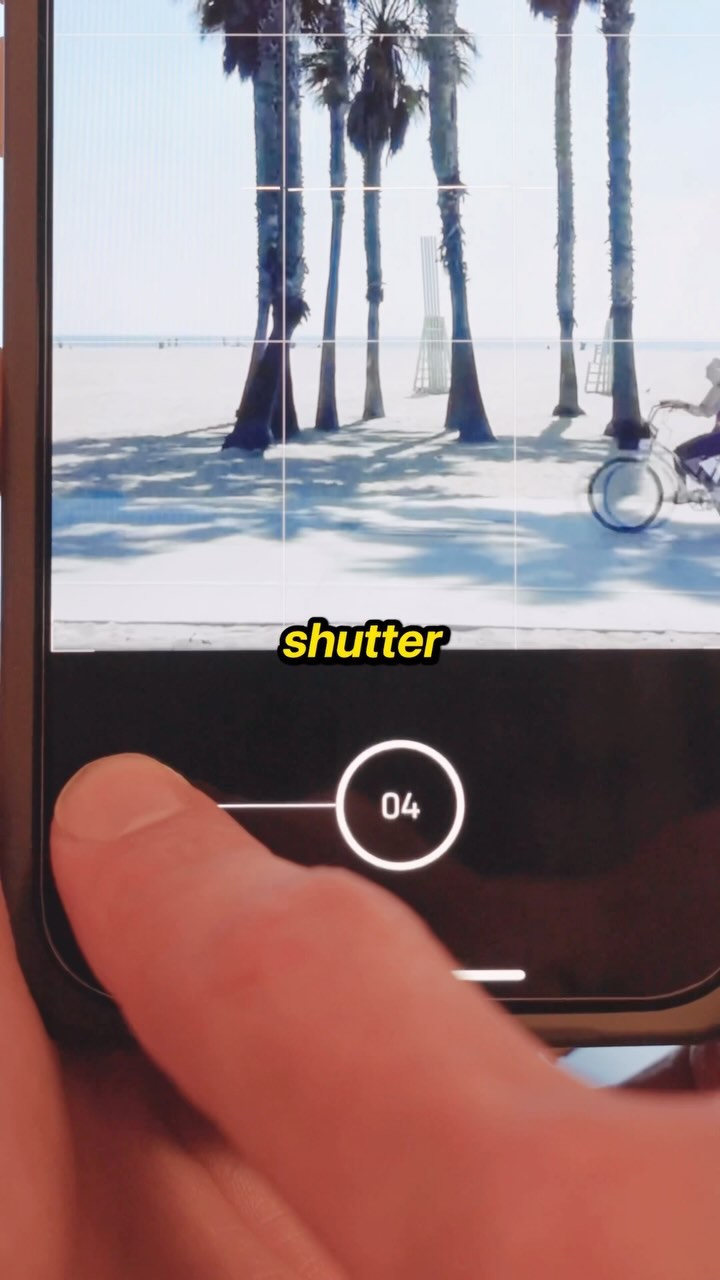
Camera Tricks You Should Know #iphonetips #applesecrets #iphonetricks…
Search inside any video
SavedThat transcribes your saved videos and lets you search across all of them instantly. Save this video and find any moment.
TL;DR
Learn essential iPhone camera tricks for capturing moving subjects and starting video recordings quickly using the shutter and volume buttons.
Chapters
- 0:00Introduction to iPhone Camera Tricks01
- 0:05Burst Photos with Shutter Button02
- 0:12Quick Take Video Feature03
- 0:18Using Volume Buttons for Photos04
- 0:24Burst Photos and Video Recording05
Transcript
iPhone camera tricks you should know. If you're taking a picture of a moving subject, slide and hold the shutter button to the left to take burst photos. Or, if you need to start recording video immediately, slide the shutter button to the right to start a quick take video. You can even continue to take photos right here. You can also do this with the volume buttons. You may already know pressing these will take a photo,
but if you press and hold volume up, it'll take burst photos, and if you press and hold volume down, it'll start recording video.
Are you the creator or rights holder of this video? Request removal of this transcript.
Related Transcripts
 1:05Instagram
I am going to blow your iPhone typing MIND here 🤯 not one, not two, but FIVE…
Sean On Tech
 0:55Instagram
This is the UI Tracking Effect!
Declann Drostan Tan | Content Creator
 2:16:51YouTube
Презентация Apple: iPhone SE, iPad Pro - WYLSACOM LIVE: 21 марта
Wylsacom
 0:37Instagram
2 tricks to sound natural on camera
Aayush Swamy
 3:54Instagram
(YES, this also works for ChatGPT) Point your phone at your Claude and let it…
Chinye | AI Strategist | Founder | Author
 0:51Instagram
Apple released a playbook on how to stand out on the App Store
Alex & Max
Never lose a moment again
Save videos from YouTube, Instagram, and TikTok. Search everything that was said, and jump to the second.
Start Saving Videos - Free Trial