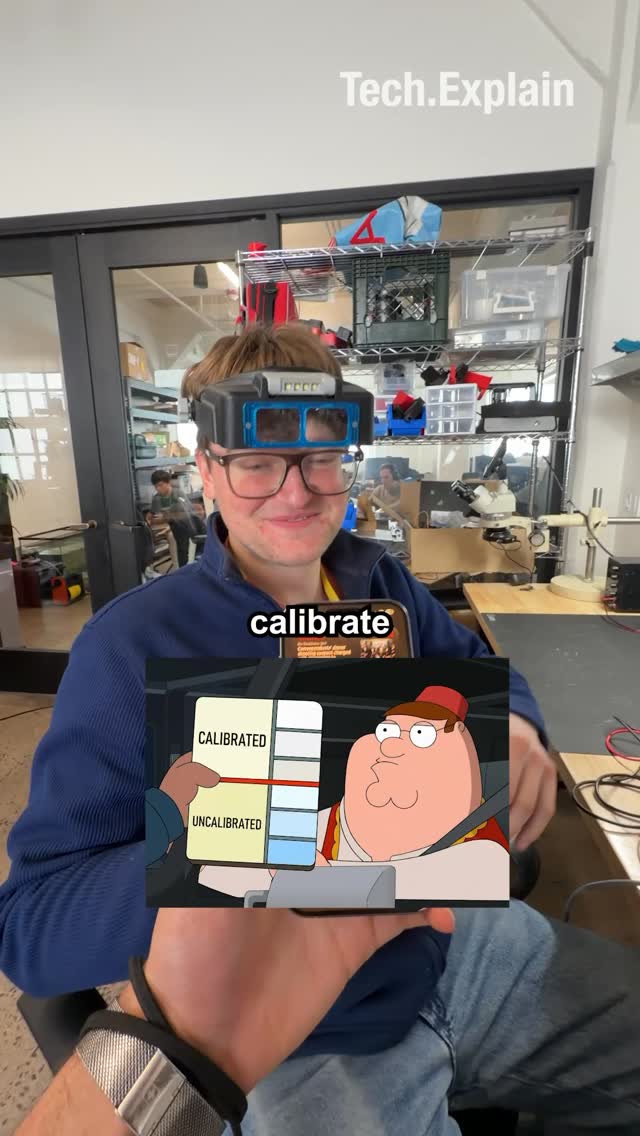
Can you really use an iPhone to color calibrate your TV?
Search inside any video
SavedThat transcribes your saved videos and lets you search across all of them instantly. Save this video and find any moment.
TL;DR
Learn how to use your iPhone to color calibrate your TV with Apple TV's Color Balance feature for better picture quality.
Chapters
- 0:00Introduction to Color Calibration01
- 0:10Setting Up Apple TV02
- 0:20Using iPhone for Calibration03
- 0:30Understanding Color Balance Results04
- 0:50Importance of Calibration05
- 1:10Conclusion and Final Thoughts06
Transcript
Hey, can I really use my phone to color calibrate my TV? Let's find out. You're going to need an Apple TV. And in Apple TV, you're going to want to go to Settings, Video and Audio, and then Color Balance. Once you have that open, you'll see a notification on your iPhone. It says it's measuring. Whoa, color balance complete. View results, balanced, original. Okay, so what's going on here?
Your iPhone's true depth sensor and ambient light sensor are measuring the light that your TV emits. Your iPhone then sends those measurements back to the Apple TV box. Then it compares them with industry reference targets and computes the error.
Essentially, how far off is your TV from what the content was mastered to? Then the Apple TV applies a correction profile and applies it to the HDMI signal outputs going forward. So why would I even need to do this? Your TV ships with factory settings tuned for a retail showroom.
The white point is cranked to 9,000 Kelvin so it looks good in a fluorescent white nightmare. The actual broadcast standard is around 6500 Kelvin, way warmer. Every movie, every show is usually graded to that spec. So out of the box, you're watching versions of images that the colorists never intended.
The reason your iPhone works as a measurement tool is because Apple factory calibrates every sensor during manufacturing. It's not a professional spectroradiometer, but it's consistent enough to correct the biggest error, that blue shifted white point.
Are you the creator or rights holder of this video? Request removal of this transcript.
Related Transcripts
 1:26Instagram
@Farza954 built this thing called Clicky.
 2:16:51YouTube
Презентация Apple: iPhone SE, iPad Pro - WYLSACOM LIVE: 21 марта
Wylsacom
 2:33Instagram
How could you ever bet against humanity?
Charles Zheng
 0:38Instagram
IPhone can I be fully controlled by Claude code using the skill or a library.
Lukasz Wieczorek
 1:05Instagram
Comment “pulse” and I’ll send you a guide on how to build your it yourself for…
Hari | AI, Tech & STEM
 0:55Instagram
This is the UI Tracking Effect!
Declann Drostan Tan | Content Creator
Never lose a moment again
Save videos from YouTube, Instagram, and TikTok. Search everything that was said, and jump to the second.
Start Saving Videos - Free Trial