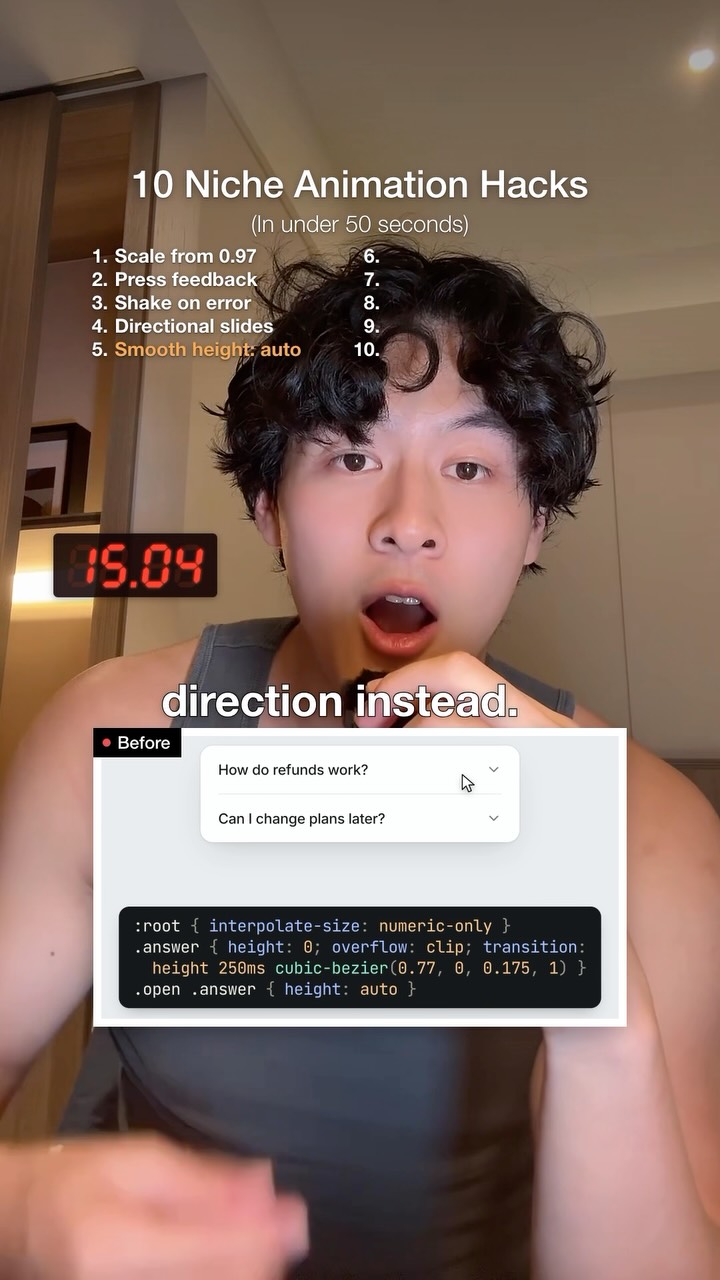
Give this to your AI agent: Follow these animation rules in every UI you build:…
Search inside any video
SavedThat transcribes your saved videos and lets you search across all of them instantly. Save this video and find any moment.
TL;DR
Learn essential animation rules for UI design, including scaling, transitions, and responsiveness to enhance user experience.
Chapters
- 0:00Scaling and Responsiveness01
- 0:10Error Feedback Animation02
- 0:20Stepper Transitions03
- 0:30Accordion Animation04
- 0:40Theme Switching Tips05
Transcript
Don't scale from 0, scale from 0.97. Also scale buttons down to 0.97 with a press so it feels more responsive. When a password's wrong, don't just turn it red, shake it 2 so it's obvious. Don't fade between steps in a stepper, slide it in the appropriate direction instead. Accordion snap because height auto can't be animated. Add interpolate size so it opens smoothly.
Animating top or left is slow because the browser repaints every frame. Anime transform instead to keep it smooth. Switching themes can fire every transition at once, which can look glitchy. Turn off the transition during the switch. Waiting for every tooltip can feel slow. Only delay the first one and make everyone after snappy. A fixed transition can make a flick feel mechanical.
Use a spring to keep your speed. If you drag past the end of a carousel, add resistance just like a rubber band. Fall for more.
Are you the creator or rights holder of this video? Request removal of this transcript.
Related Transcripts
 0:54Instagram
You need a really sharp eye to notice some of these but i swear they make a…
Charles Liu
 0:29Instagram
Creating UI Animations with AI 🤯 @higgsfield.ai This feature is still in Beta…
John
 1:12Instagram
While I was making this video and building my little editors with Claude,…
Ian Tang
 0:41Instagram
A UI LIBRARY BUILT FOR AI AGENTS.
asharasjad
 1:05Instagram
You only need 5 edits, don’t overcomplicate it.
Michael Quoc Ly
 1:01Instagram
making my app look 73% less vibe coded brb 😂🫡
Daniel Namatinia | Building Apps with AI
Never lose a moment again
Save videos from YouTube, Instagram, and TikTok. Search everything that was said, and jump to the second.
Start Saving Videos - Free Trial